
Lots of changes happening on Google’s side lately. One of the latest is related to page crawling file size. It seems that it is not enough anymore to make the page return a 200 OK status in the crawl reports. According to definitive documentation released in February 2026, that success message might be not exactly what you would need to see. A page can be “successfully” fetched while half of its content is being silently discarded.
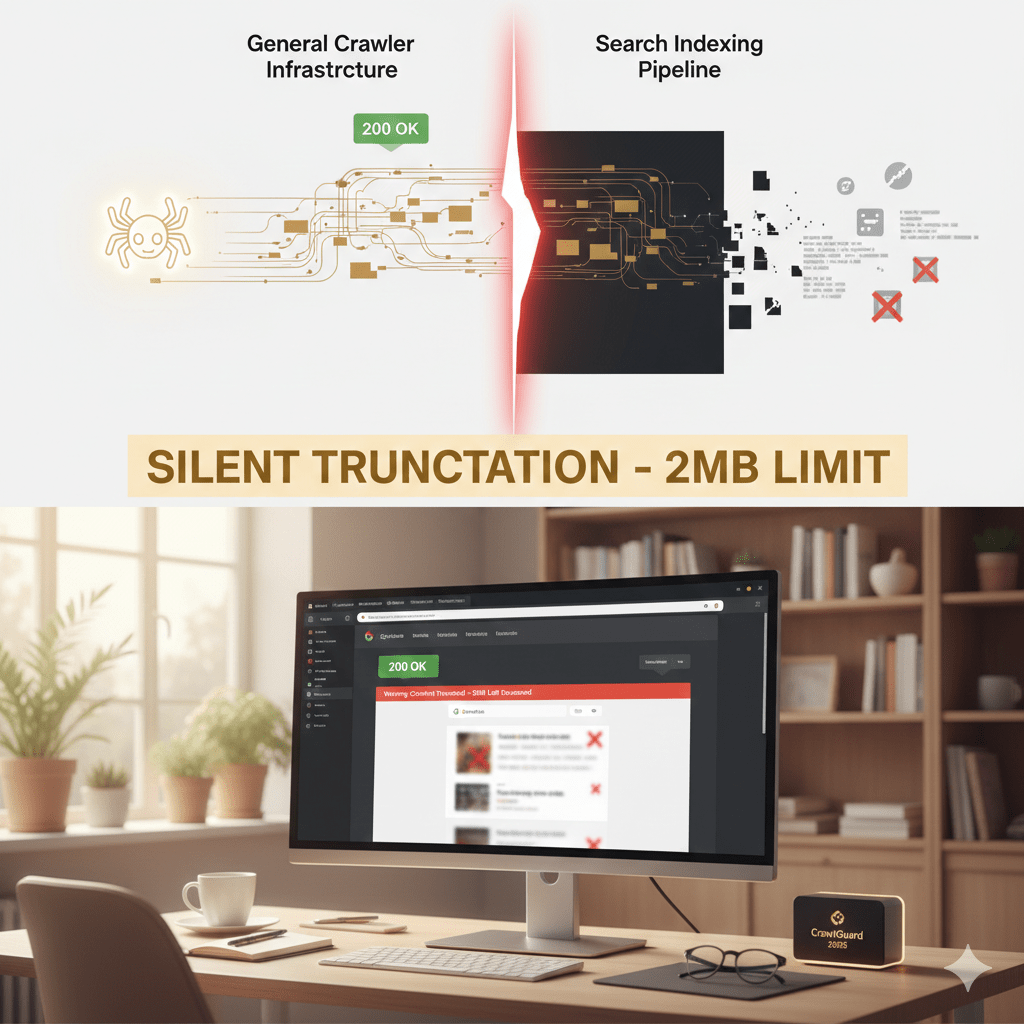
Google has officially bifurcated its architecture, separating the General Crawler Infrastructure from the Search Indexing Pipeline. This shift has created a “danger zone” of silent truncation. This issue can erase your footer links, structured data, and in-depth content from Google’s memory without a single error ever appearing in Google Search Console.
The technical breakdown: 15mb vs. 2mb
The most critical revelation of the 2026 February Google Search Update is the dual-tiered limit system. While Google’s network layer can physically download large files, the indexer that actually “reads” and ranks your content is much more selective.
| ContextFile | Type | Limit(Uncompressed) | Behavior at Limit |
| Network Layer | Any | 15 MB | Download cut off |
| Search Indexing | HTML / Text | 2 MB | Silent Truncation |
| Search Indexing | 64 MB | Processing failure |
The “silent truncation” trap
If you serve a 5mb HTML file, the infrastructure fetches all of it, but the search indexing pipeline reads the first 2mb and ignores the rest. Because the download technically succeeded (status 200), Google Search Console will report it as indexed, even though half your page is invisible to search.
Time to compress images, use minification for JS and CSS files. If you are looking for info about content and code optimization techniques, you’ll find some in my Product Image Optimization article (from 2024).
How to audit tour site for the 2mb limit
Standard SEO tools often miss this because they focus on network transfer. Here is how to verify your content is actually being “read”:
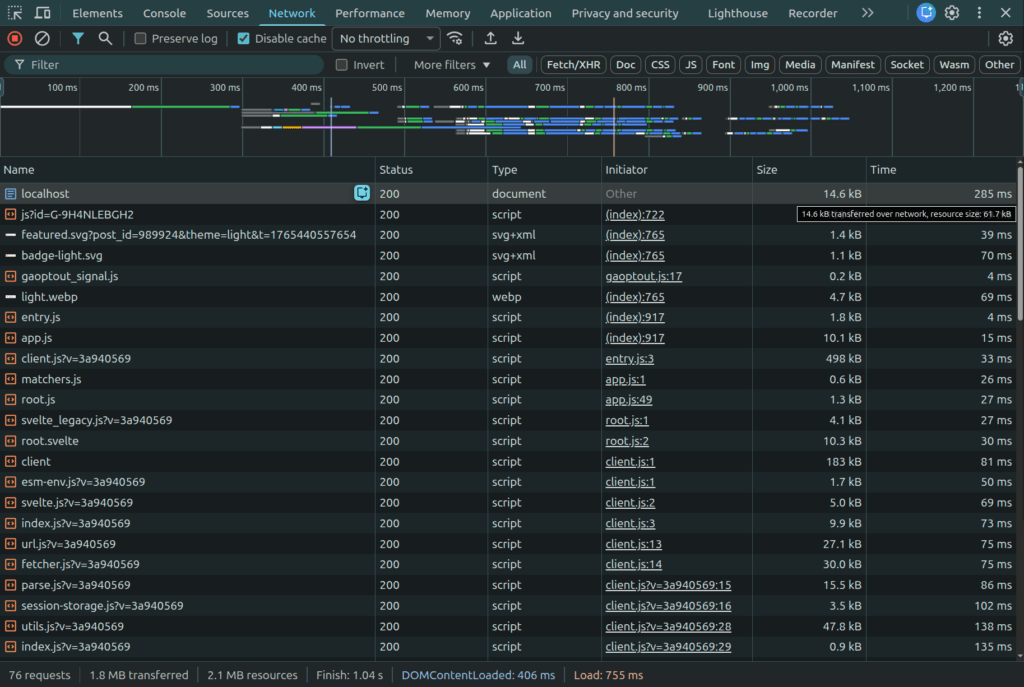
1. Chrome DevTools resource check
Google applies the 2MB limit to uncompressed data.
- Open Chrome DevTools (F12) > Network tab.
- Look at the “Size” column. You want the Resource Size (the top number), which is the decoded weight.
- Warning: If this exceeds 2,097,152 bytes, you are being truncated.
2. Search for the footer text using search operators
Since GSC doesn’t flag this, you must test manually. Copy a unique sentence from your footer and search Google using: site:yourdomain.com "your exact sentence". If it returns “no results,” Googlebot likely stopped reading before it reached the bottom.
Find more Google Search Operators here.
3. Use newly updated simulation tools (from 2026)
DNS page size checkers: Specialized tools that measures the exact uncompressed byte count and flags truncation risks.
Fetch and Render Tool: Dave Smart’s simulator now includes a “2mb truncation” toggle to visualize exactly where Googlebot cuts off your HTML.
Critical risks for modern architectures
This 2 MB limit applies to each resource individually (HTML, JS, and CSS are each capped at 2MB).
- JavaScript bundles: If
app.jsexceeds 2 MB uncompressed, the Web Rendering Service (WRS) will truncate the code, likely causing a syntax error that kills the entire script. - Link discovery: Links in a heavy footer are often the first to go. These pages become “orphans,” receiving no equity and potentially falling out of the index.
- Structured data: JSON-LD placed at the bottom of the
<body>will get cut off, rendering your Schema invalid and killing your Rich Snippets.
Actionable strategies for 2026
To remain visible in this leaner search environment, efficiency is your primary KPI:
- Move critical content up: Ensure your main content, primary H1, and key internal links appear as early as possible in the raw HTML page source.
- Externalize “bloat”: Move all inline CSS, large SVGs, and heavy scripts into external files. These assets get their own 2mb budget and won’t count against your main HTML limit.
- Audit “initial state” JSON: For modern frameworks (React, Svelte), ensure your
window.INITIAL_STATEblob isn’t ballooning your HTML. If it’s over 1mb, you should probably fetch that data via an API call after the initial load instead.
Conclusion: leaner is faster (and indexed)
In the technical SEO world, we spent years obsessing over “Crawl Budget.” But in 2026, the conversation has shifted toward “Indexing Budget.” It doesn’t matter if Googlebot successfully fetches your entire site if the indexing pipeline gets “full” and stops reading halfway through your most important pages.
The 200 OK status is no longer a certificate of health. It’s just an invitation to the party. Whether you are running a custom WordPress build or a complex SPA, your goal is to keep your HTML under that 2mb threshold. By prioritizing critical content and moving the “weight” to external resources, you ensure that Google sees exactly what you want it to see.